How PuzzlePal finds where a piece goes
PuzzlePal compares a photo of a loose piece with a photo of your box picture and suggests the area where that piece most likely belongs. It's built for real cardboard puzzles on a table, and it's meant for the moment you're stuck, not for doing the whole puzzle.
A 60-second walk-through of the same thing: the box becomes the map, a loose piece gets a row and column back. Captioned, so it works on mute.
The four steps
1. Photograph the box picture
Lay the box lid flat in good light and take one clear photo. This becomes the map PuzzlePal compares every piece against. A sharp photo without glare matters more than anything else; if the reference is blurry, the suggestions will be too.
2. Photograph the piece you're stuck on
Put the piece picture side up on a plain surface and take a close photo. You can also lay out a small handful of pieces, not touching, and photograph them together. Each piece is cut out and matched separately.
3. PuzzlePal compares the printing
The piece photo and the box picture are sent to an AI image model, which looks for the patch of the box picture whose colours, lines and details match the piece. It returns a box around that spot, and PuzzlePal turns it into a row and column on a grid laid over your picture.
4. You check the fit yourself
The result is a suggestion of where to look, not a promise. You take the piece to that area of the table and try it against the real gaps. If it was right you can say so; if not, you can mark the correct spot, which helps you keep track of what you've already tried.
Looking at this puzzle
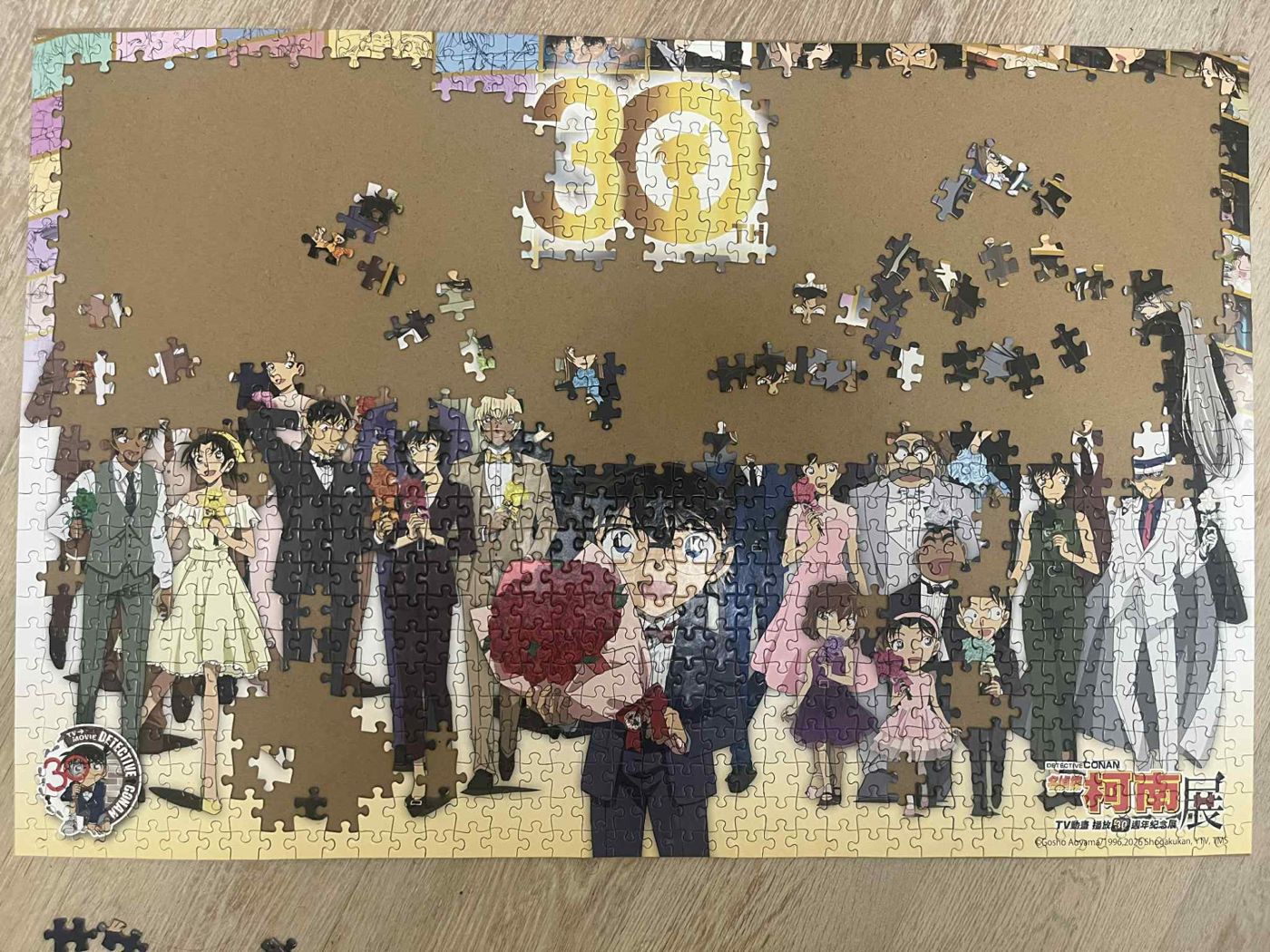
In the photo above, the easy parts are the ones with something distinct printed on them: the gold numbers, faces, a red bouquet, the logo in the corner. Those barely need help. The hard part is the strip along the top, where many panels of small sketched faces sit side by side. Pieces from there look alike, so a suggestion narrows it to a few panels rather than one exact gap. That still saves a lot of trying every spot on the board.
The scattered pieces in the middle are the ones I've already pulled out and grouped by colour. Grouping first, then scanning only the stubborn leftovers, keeps it a puzzle you do yourself.
Where it gets things wrong
- Large plain areas such as sky, a single wall colour or a dark background give very little to match. Suggestions there are often only roughly right, or wrong.
- Repeated patterns like windows, flowers or crowds of similar shapes can look identical in several places. PuzzlePal may pick one of the lookalikes.
- Glare, shadows and blur on either photo hide the detail it needs. Retaking the photo in better light helps more than scanning again.
- The box picture is much smaller than the finished puzzle, so tiny details on a piece may not be visible on the box at all.
- It doesn't look at connector shape. Tabs and blanks still decide whether a piece truly fits.
What happens to your photos
Your box and piece photos are saved to your own private puzzle shelf, which only you can see. They're sent to the AI model only to make the match. Nothing is shared in the Hall of Fame unless you post it there yourself. The privacy page has the details.