From loose pieces to a finish worth sharing
You don't need a huge puzzle, a perfect table or a professional camera to have a finish worth sharing. Here are a few habits to help you get the picture together, then take a clear photo of the physical puzzle you assembled.
1. Give yourself room to build
Check the finished dimensions on the box before emptying it. Leave space around the picture for loose pieces and little sections that aren't connected yet. If your table has to serve other purposes, a flat board you can move safely may be more practical than working directly on it.
Turn the pieces picture side up in good, even light. Pull out straight edges as you go. Shallow trays or box lids keep groups visible without needing special equipment. A comfortable place to work matters more than a picture-perfect setup.
2. Build the border and the obvious details
For a conventional rectangular puzzle, start with the four corners and sort the edges by the picture printed on them. Check that each join carries the image smoothly across the seam. If the border doesn't close, look for a hidden edge or a near-fit rather than forcing the last join. Shaped puzzles may have a different outline.
Next, set aside pieces with lettering, faces, strong lines or bright objects. Make small groups for those details. You can assemble a window or a patch of flowers on its own and connect it to the rest later; you don't have to build everything outwards from the border.
3. Jump to another area when you're stuck
This is the maker of PuzzlePal's own habit: borders first, obvious pieces set aside, then move elsewhere when one area stops giving. Each piece used in another section leaves fewer candidates for the difficult patch. Coming back with fresh eyes can help you notice a detail you missed.
For plain sky or water, sort that area's pieces by shape. Count tabs and blanks, and then compare where they sit. The arrangement matters as much as the number. Choose a gap with several neighbours, then try matching candidates systematically. A piece should settle without pressure, with both the outline and printed picture lining up.
Take a break whenever you need one. If you'd like a clue, PuzzlePal can compare a loose-piece photo with your saved reference picture and suggest a location. It's a best guess, especially in repetitive areas; you still check the fit and place the piece yourself.
4. Give the finished picture a quick check
Before taking a photo, look across the whole puzzle for gaps, lifted pieces and joins where a printed line suddenly changes direction. Check suspicious fits gently rather than pressing everything down. Leave the puzzle flat while you photograph it; lifting an unglued puzzle can undo your work.
There's no minimum achievement to celebrate. A small puzzle, a difficult patch finally solved or a picture you loved spending time with can all give you a story to tell. For a finished-puzzle post, use a puzzle you've completed; if you're still working on it and need advice, ask the community a question instead.
5. Take a clear photo of your own puzzle
Keep the whole puzzle in the frame, including all its edges, with a little table space around it. Hold your phone above it as squarely as you comfortably can. Don't climb onto furniture to get an overhead shot. A clear photo from a slight angle is fine.
Use soft daylight or even room lighting. If a bright reflection hides part of the picture, change the light or your position. Tap the puzzle on your phone screen to focus, hold still, then zoom into the photo to check that the printed details aren't blurry. Move letters, addresses and other private items out of view.
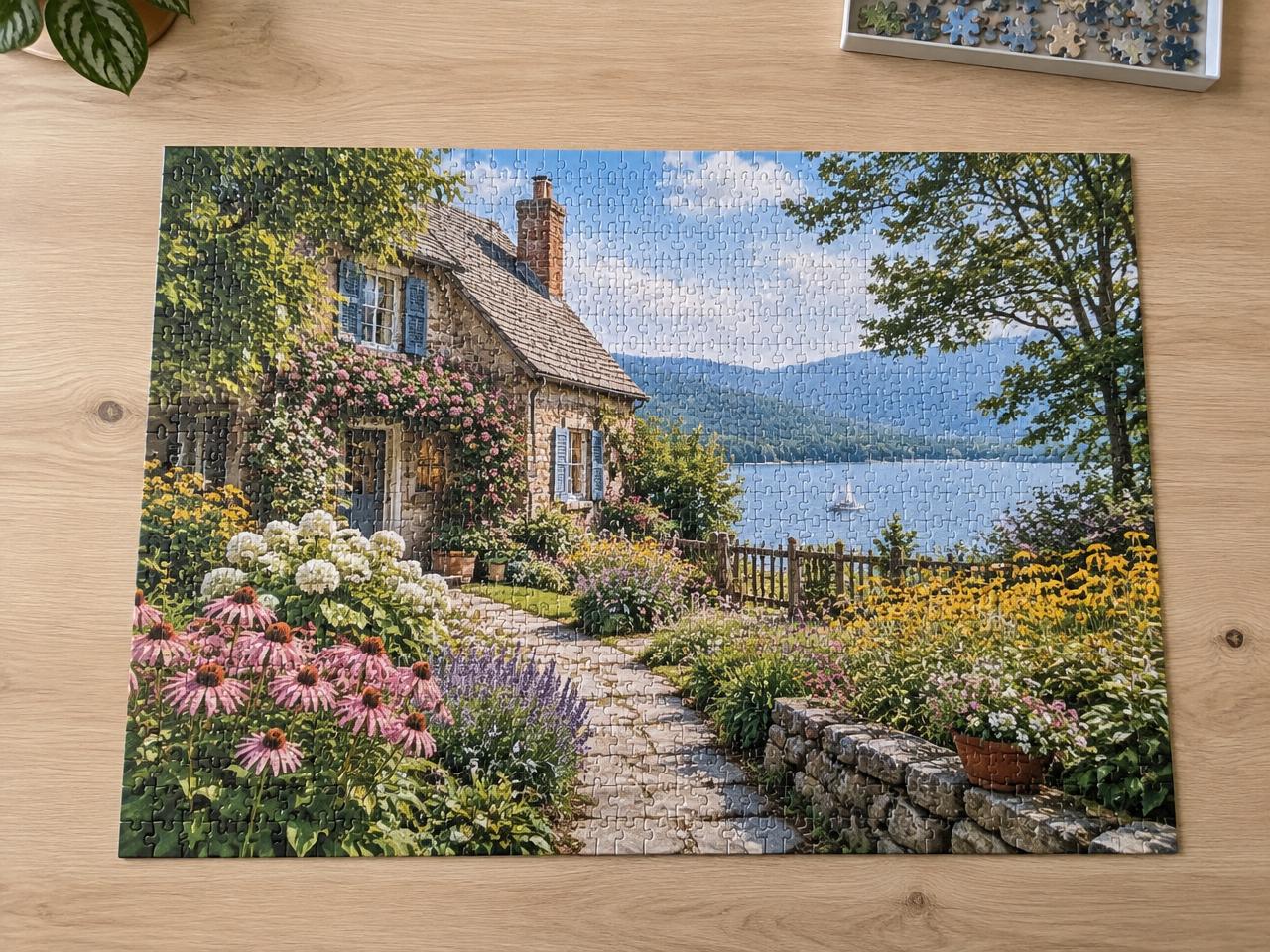
The example below shows useful framing: the full border is visible, the picture is sharp and there is room around the puzzle. Yours doesn't need to look like this cottage scene or have a perfectly tidy background. Share your own camera photo, not a box image or an AI-generated picture.
6. Share the finish, and a little of its story
Open the Puzzle Hall of Fame and choose ‘Share my puzzle’. Choose a display name if you haven't already, add your finished-puzzle photo, give it a title and enter its piece count. Add a few words about the detail you enjoyed, the area that challenged you or who puzzled with you. You don't need to write a long review.
If you want the optional Photo checked badge, get a fresh photo code before taking your picture. Write that code on paper and place it beside the finished puzzle so both are readable in the same shot. A box photo isn't needed. The badge is separate from rankings: finishes and piece counts remain self-reported.
Your post is shared with signed-in members, not automatically taken from your private puzzle shelf. After posting, you can see your finish in the community and view the leaderboard. There's no hurry to share. The photo is a way to celebrate the time you spent putting the puzzle together.